

Hey there! As a supplier of pan tilt cameras, I often get asked if these cameras support Wi-Fi connectivity. Well, the short answer is yes, many modern pan tilt cameras do support Wi-Fi, but there's a lot more to it than that. Let's dive into the details.
The Basics of Wi-Fi Connectivity in Pan Tilt Cameras
Wi-Fi connectivity in pan tilt cameras has become a standard feature in recent years. It offers a convenient way to connect your camera to your home or office network without the need for messy cables. With Wi-Fi, you can easily control your camera from your smartphone, tablet, or computer, no matter where you are in the world.
One of the main advantages of Wi-Fi connectivity is the flexibility it provides. You can place your pan tilt camera anywhere within the range of your Wi-Fi network, which means you can monitor different areas of your property without having to worry about running Ethernet cables. This is especially useful for outdoor surveillance, where running cables can be challenging.
Another benefit of Wi-Fi connectivity is the ability to access your camera remotely. Most pan tilt cameras that support Wi-Fi come with a mobile app or a web interface that allows you to view the camera's live feed, control its movement, and receive alerts. This means you can keep an eye on your property even when you're away from home.
Our Pan Tilt Cameras and Wi-Fi Connectivity
At our company, we offer a wide range of pan tilt cameras that support Wi-Fi connectivity. Our cameras are designed to provide high-quality surveillance at an affordable price. Whether you're looking for a camera for your home, office, or business, we have a solution that will meet your needs.
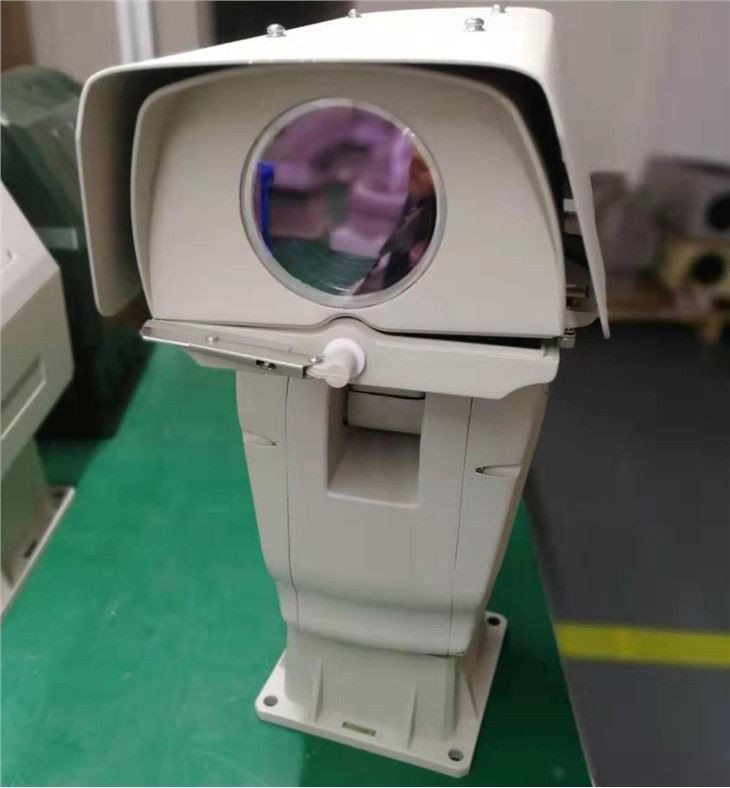
One of our popular products is the Long Range Surveillance PTZ Camera. This camera is perfect for monitoring large areas, such as parking lots, warehouses, and construction sites. It features a high-resolution lens, a powerful zoom, and a wide pan and tilt range, allowing you to cover a large area with a single camera. The camera also supports Wi-Fi connectivity, so you can easily connect it to your network and access it remotely.
Another great option is the Continuous Rotation PTZ PAN TILT Camera. This camera is designed for continuous monitoring of a specific area. It can rotate 360 degrees continuously, allowing you to keep an eye on your property without any blind spots. The camera also supports Wi-Fi connectivity, so you can control its movement and view the live feed from your mobile device.
If you're looking for a camera with advanced features, check out our HD Integrated Intelligent PTZ Camera With Laser. This camera combines high-definition video with intelligent features, such as motion detection, facial recognition, and object tracking. It also comes with a built-in laser illuminator, which allows you to see in the dark up to 200 meters. The camera supports Wi-Fi connectivity, so you can easily integrate it into your existing network.
Setting Up Wi-Fi Connectivity
Setting up Wi-Fi connectivity for your pan tilt camera is usually a straightforward process. Most cameras come with a setup wizard that guides you through the process step by step. Here's a general overview of the steps involved:
- Power on the camera: Make sure the camera is powered on and connected to a power source.
- Connect to the camera: Use your smartphone or computer to connect to the camera's Wi-Fi network. The camera will usually create its own Wi-Fi network during the setup process.
- Open the setup wizard: Once you're connected to the camera's Wi-Fi network, open the setup wizard on your mobile app or web browser.
- Select your Wi-Fi network: The setup wizard will prompt you to select your home or office Wi-Fi network. Enter the network name (SSID) and password.
- Configure the camera settings: After connecting to your Wi-Fi network, you can configure the camera's settings, such as the time, date, and video quality.
- Test the connection: Once the setup is complete, test the connection by accessing the camera's live feed from your mobile app or web browser.
Troubleshooting Wi-Fi Connectivity Issues
Sometimes, you may encounter issues with Wi-Fi connectivity. Here are some common problems and solutions:
- Weak Wi-Fi signal: If you're experiencing a weak Wi-Fi signal, try moving the camera closer to your Wi-Fi router or using a Wi-Fi extender.
- Incorrect Wi-Fi password: Make sure you're entering the correct Wi-Fi password. Double-check the password on your router and try again.
- Interference: Other electronic devices, such as microwave ovens and cordless phones, can interfere with the Wi-Fi signal. Try moving the camera away from these devices or changing the channel on your Wi-Fi router.
- Firmware update: Check if there's a firmware update available for your camera. Updating the firmware can sometimes fix Wi-Fi connectivity issues.
Conclusion
In conclusion, most modern pan tilt cameras support Wi-Fi connectivity, which offers a convenient and flexible way to monitor your property. Our company offers a wide range of pan tilt cameras that support Wi-Fi connectivity, including the Long Range Surveillance PTZ Camera, Continuous Rotation PTZ PAN TILT Camera, and HD Integrated Intelligent PTZ Camera With Laser.

If you're interested in purchasing a pan tilt camera or have any questions about Wi-Fi connectivity, feel free to reach out to us. We're here to help you find the right solution for your surveillance needs.
References
- Various industry reports on pan tilt cameras and Wi-Fi technology
- Manufacturer's documentation for our pan tilt cameras


