

As an HD PTZ camera supplier, I often receive inquiries from customers about the feasibility of using multiple HD PTZ cameras together. This is a topic that not only interests security professionals but also those in the field of event recording, traffic monitoring, and wildlife observation. In this blog post, I'll delve into the technical aspects, benefits, challenges, and practical considerations of using multiple HD PTZ cameras in unison.
Technical Feasibility
The modern HD PTZ cameras are designed with advanced technology that allows them to be integrated into a multi - camera system. Most high - end HD PTZ cameras support standard communication protocols such as ONVIF (Open Network Video Interface Forum). This protocol enables different cameras from various manufacturers to communicate and work together seamlessly. For example, if you have a mix of our Continuous Rotation PTZ PAN TILT Camera and other compatible cameras, they can be configured to operate in a coordinated manner.
The cameras also come with network interfaces that support high - speed data transmission. With the development of Gigabit Ethernet and PoE (Power over Ethernet) technology, it is possible to connect multiple cameras to a single network switch. This simplifies the installation process and ensures that the cameras can transmit high - definition video data without significant latency.
Benefits of Using Multiple HD PTZ Cameras
Enhanced Surveillance Coverage
One of the primary advantages of using multiple HD PTZ cameras is the ability to cover a larger area. A single camera has a limited field of view, but by strategically placing multiple cameras, you can eliminate blind spots. For instance, in a large industrial complex, a single Long Range Surveillance PTZ Camera may not be able to monitor the entire perimeter. By installing multiple cameras around the complex, you can ensure comprehensive coverage.
Redundancy and Backup
In critical applications such as security surveillance, having multiple cameras provides redundancy. If one camera fails due to technical issues or damage, other cameras can still maintain surveillance. This ensures that there is no interruption in the monitoring process, which is crucial for maintaining security and safety.
Multi - Angle Viewing
Multiple HD PTZ cameras allow for multi - angle viewing of the same event. This is particularly useful in event recording and sports broadcasting. For example, during a football game, different cameras can capture the action from various angles, providing a more immersive viewing experience for the audience.
Challenges and Solutions
Network Bandwidth
One of the main challenges of using multiple HD PTZ cameras is the high demand for network bandwidth. HD video requires a significant amount of data to be transmitted in real - time. To address this issue, you can use network switches with high - port density and sufficient bandwidth capacity. Additionally, you can optimize the video encoding settings of the cameras to reduce the data rate without sacrificing too much video quality.
Camera Synchronization
Ensuring that multiple cameras are synchronized is crucial for accurate monitoring and recording. Differences in time settings between cameras can lead to misaligned video footage. Most modern HD PTZ cameras support NTP (Network Time Protocol), which allows them to synchronize their internal clocks with a central time source. By configuring all cameras to use the same NTP server, you can ensure that they are perfectly synchronized.
Management and Configuration
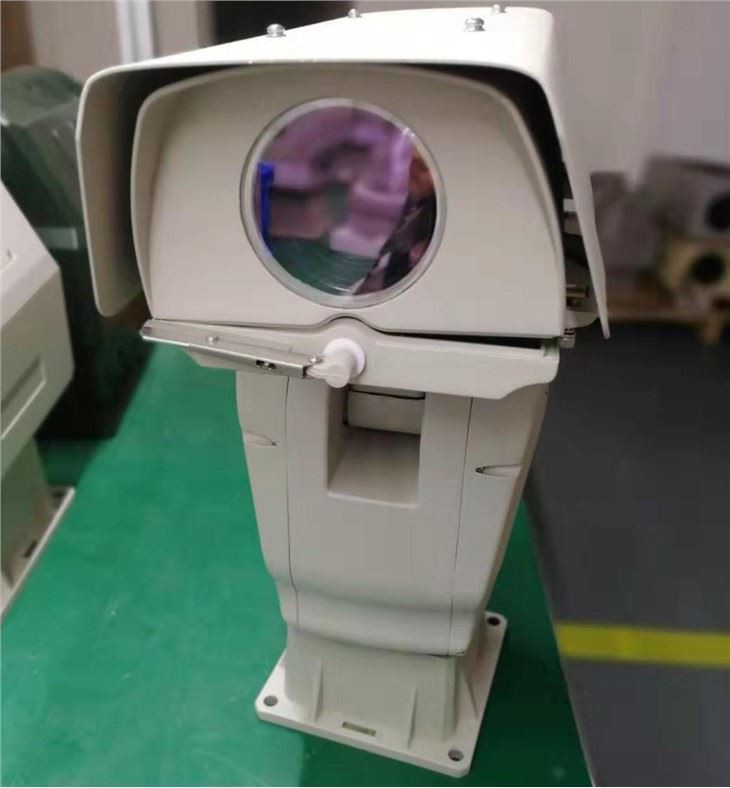
Managing and configuring multiple cameras can be a complex task. However, many camera manufacturers, including us, provide management software that simplifies this process. Our software allows you to configure, control, and monitor multiple HD Integrated Intelligent PTZ Camera With Laser and other cameras from a single interface. This reduces the time and effort required for system management.
Practical Considerations
Camera Placement
Proper camera placement is essential for the effective operation of a multi - camera system. You need to consider factors such as the field of view, coverage area, and potential obstacles. For example, in a building lobby, cameras should be placed at strategic locations to cover all entrances and exits. You also need to ensure that the cameras are installed at an appropriate height and angle to avoid glare and shadows.

Power Supply
Multiple cameras require a reliable power supply. You can use PoE switches to power the cameras, which simplifies the installation process. However, if the cameras are located in areas where PoE is not available, you need to provide a separate power source. It is also important to ensure that the power supply is stable to prevent camera malfunctions.
Storage Capacity
With multiple cameras generating a large amount of video data, you need to have sufficient storage capacity. You can use network - attached storage (NAS) devices or digital video recorders (DVRs) to store the video footage. When choosing a storage solution, you need to consider factors such as storage capacity, data transfer speed, and reliability.
Conclusion
In conclusion, it is indeed possible to use multiple HD PTZ cameras together. The technical advancements in camera technology and network infrastructure have made it easier to integrate and manage multiple cameras. The benefits of using multiple cameras, such as enhanced surveillance coverage, redundancy, and multi - angle viewing, far outweigh the challenges. However, you need to carefully consider practical aspects such as camera placement, power supply, and storage capacity.
If you are interested in setting up a multi - camera system for your security, event recording, or other applications, we are here to help. Our team of experts can provide you with professional advice and customized solutions. We offer a wide range of high - quality HD PTZ cameras, including the Continuous Rotation PTZ PAN TILT Camera, Long Range Surveillance PTZ Camera, and HD Integrated Intelligent PTZ Camera With Laser. Contact us to discuss your specific requirements and start the procurement process.
References
- ONVIF. (n.d.). Open Network Video Interface Forum. Retrieved from https://www.onvif.org/
- Network Time Protocol. (n.d.). Wikipedia. Retrieved from https://en.wikipedia.org/wiki/Network_Time_Protocol


