

Sure, a PTZ (Pan-Tilt-Zoom) camera can absolutely be connected to a network. As a PTZ camera supplier, I've dealt with this issue many times and have seen firsthand how beneficial network connectivity can be for these cameras.
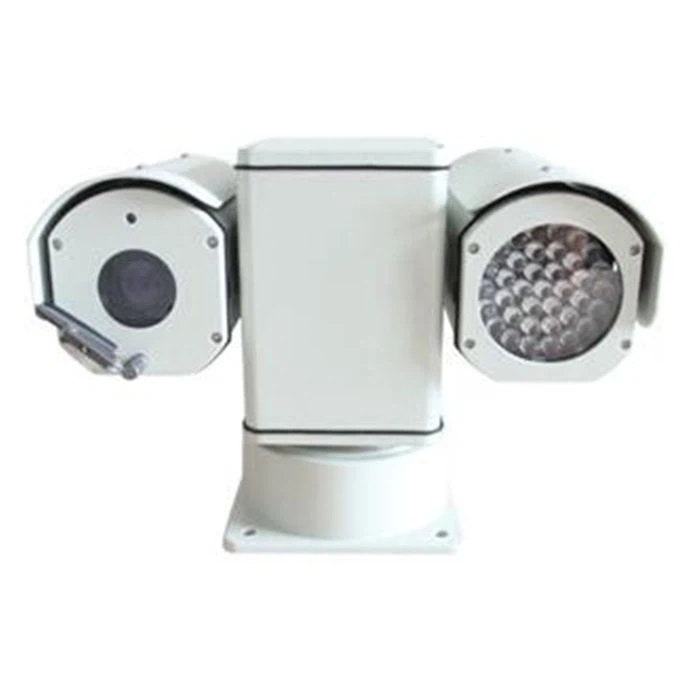
Let's start by understanding what a PTZ camera is. A PTZ camera is a type of camera that can pan (move horizontally), tilt (move vertically), and zoom in and out. This gives it a much wider range of view compared to a fixed - position camera. And when you connect it to a network, it opens up a whole new world of possibilities.
One of the main advantages of connecting a PTZ camera to a network is remote access. With a network connection, you can access the camera's feed from anywhere in the world as long as you have an internet connection. For example, if you're using the Police Vehicle Mounted Intelligent High Speed IR Car PTZ Camera for Video Surveillance System in a police car, officers can check the live feed on their mobile devices or laptops when they're away from the vehicle. This is extremely useful for real - time monitoring and quick decision - making.
Another great benefit is the ability to integrate the camera with other security systems. When connected to a network, the PTZ camera can communicate with other devices such as alarms, access control systems, and other surveillance cameras. For instance, if an alarm goes off in a building, the network - connected PTZ camera can automatically pan and tilt to the area where the alarm was triggered. This kind of integration provides a more comprehensive security solution.
Now, let's talk about how to connect a PTZ camera to a network. There are generally two main ways: wired and wireless.
Wired Connection
A wired connection is usually more stable and reliable. Most PTZ cameras come with an Ethernet port, which you can use to connect the camera directly to your local network router using an Ethernet cable. Once it's connected, you need to configure the camera's network settings. This typically involves setting up an IP address, subnet mask, and gateway. Some cameras also support Power over Ethernet (PoE), which means you can use a single Ethernet cable to provide both power and data to the camera. This simplifies the installation process, especially for cameras like the 316 Stainless Steel EXD II CT6 Explosion - proof Pan Tilt Head for Hazardous Areas that are installed in hard - to - reach or specialized locations.
Wireless Connection
Wireless connection offers more flexibility in terms of installation. Many modern PTZ cameras support Wi - Fi connectivity. To connect a PTZ camera wirelessly, you need to configure the camera to connect to your Wi - Fi network. You'll enter the SSID (network name) and the password of your Wi - Fi network during the setup process. However, wireless connections can be affected by interference from other electronic devices or physical obstacles. So, it's important to make sure the signal strength is strong enough, especially for outdoor cameras like the Outdoor Heavy Duty Intelligent Variable Speed Pan Tilt.
When it comes to network protocols, PTZ cameras often support standard protocols such as HTTP, RTSP (Real - Time Streaming Protocol), and ONVIF (Open Network Video Interface Forum). HTTP is mainly used for web - based configuration and accessing the camera's settings. RTSP is used for streaming the video feed in real - time. ONVIF is an open standard that allows different brands of cameras and other network - enabled devices to communicate with each other. This means that you can easily integrate our PTZ cameras with other ONVIF - compliant devices in your security system.
But connecting a PTZ camera to a network also comes with some challenges. Security is a major concern. Since the camera is connected to the network, it's vulnerable to cyber - attacks. To protect your camera and the data it captures, you should always change the default passwords, keep the camera's firmware up - to - date, and use encryption for data transmission.
In addition, network bandwidth can be an issue, especially if you have multiple PTZ cameras streaming high - definition video simultaneously. You need to make sure your network has enough bandwidth to handle the data traffic. Otherwise, you may experience buffering or a poor - quality video feed.
In conclusion, connecting a PTZ camera to a network offers numerous benefits such as remote access, integration with other security systems, and easy management. Whether you choose a wired or wireless connection depends on your specific needs and the installation environment.

If you're interested in our PTZ cameras and want to learn more about how they can be connected to a network or integrated into your security system, we'd love to have a chat with you. Feel free to reach out to us to discuss your requirements and start a procurement negotiation. We're here to help you find the best PTZ camera solutions for your situation.
References
- Various industry whitepapers on PTZ camera technology
- Manufacturer's guides for PTZ camera installation and network configuration


